If you are creating a brand-new short link every time you need different URL parameters,
see how Vivoldi’s parameter feature can simplify your workflow.
This guide walks through how to add or modify parameters on a short link so they are automatically passed to the long destination URL when a user clicks it.
Why Do You Need Short Link URL Parameters?

URL parameters play a vital role whenever you need granular tracking of user behavior—such as running marketing campaigns,
analyzing ad performance, or tracking affiliate links.
However, generating a separate short link for every campaign quickly leads to link sprawl and heavy management overhead.
Vivoldi’s parameter feature solves this problem in four ways:
- Immediately overrides existing parameters with new values
- Automatically appends parameters that do not exist yet
- Adapts a single short link for multiple scenarios
- Tracks clicks broken down by parameter
Instead of managing hundreds or thousands of separate links, you can consolidate everything into a single short link.
Key Features Covered in the Video Guide
Using a practical example, the video demonstrates step by step how to change a search query parameter from “apple” to “amazon”.
- Adding and modifying parameters on a short link
- Automatically applying parameters to the destination URL upon click
- Verifying how existing parameter values are overridden
- Checking clicks in the parameter analytics view
In particular, the “q” parameter example illustrates how to control search queries or UTM values in your marketing campaigns.
Who Benefits Most from This Feature?

Vivoldi’s parameter feature is built for teams handling the following tasks:
- Comparing performance across ad creatives
- Setting up A/B testing environments
- Delivering custom landing pages for specific user segments
- Measuring affiliate link performance
- Analyzing clicks from social media campaigns
The more campaigns you run, the more valuable a single short link becomes.
As your link structure grows more complex, the efficiency Vivoldi provides becomes clear.
Watch the Video
This YouTube Shorts video is about two minutes long, so you can quickly see the core features in action even on a busy schedule.
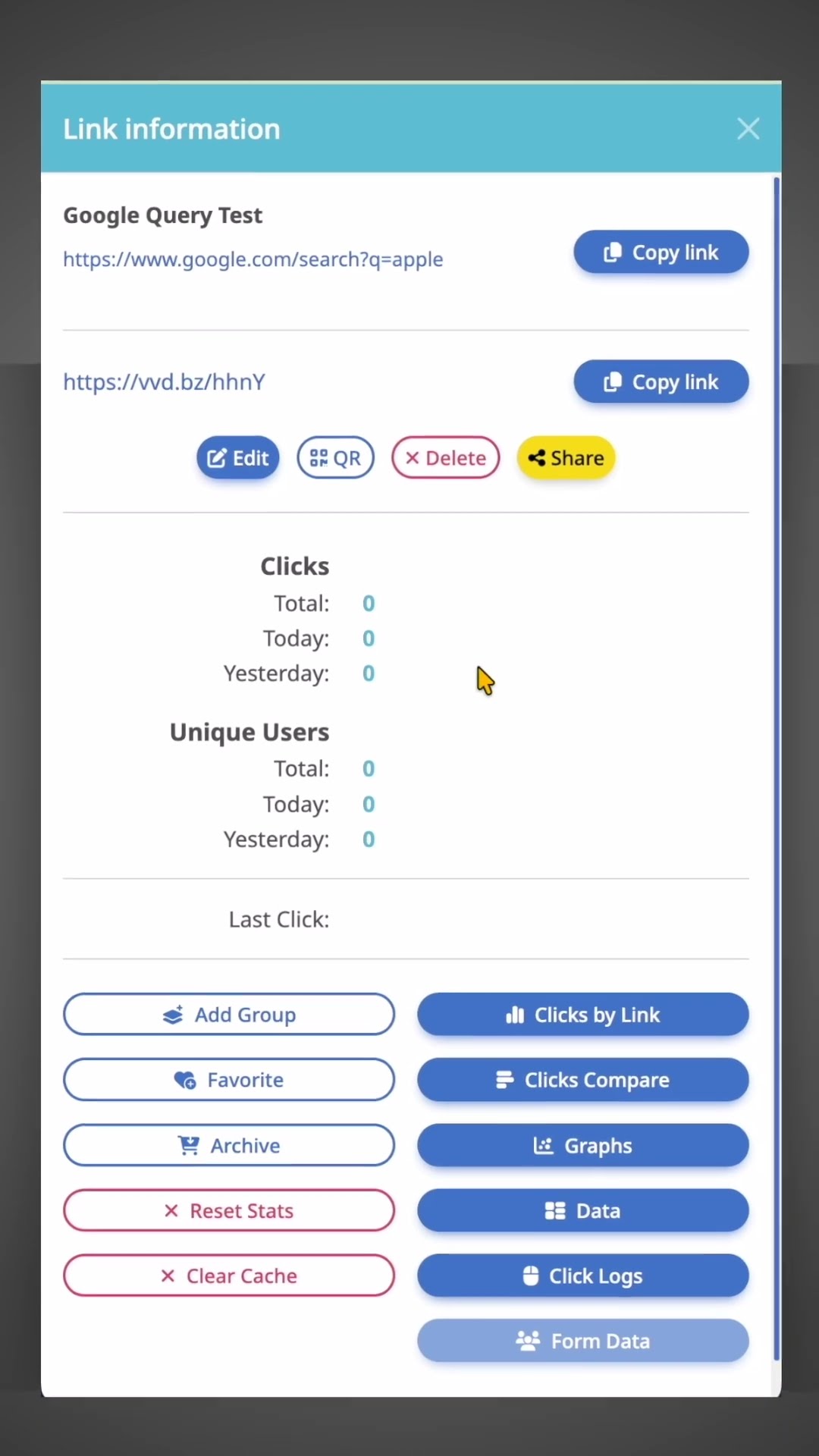
Practical Tip: Using URL Parameters to Modify Affiliate Links!
Start Smarter Link Management with Vivoldi
Build a more efficient marketing workflow with Vivoldi—delivering short links, parameter control,
click analytics, QR codes, and everything you need for fast, accurate link operations.
Passing parameters added to a short link through to the original URL is available from the Business plan.
Thank you.