
Why aren’t your conversion rates improving when using the same short URL?
Social media, blogs, ads — channels are multiplying, but if you’re sending all visitors to the exact same page, the problem has already begun. Visitors from different traffic sources have different expectations and temperatures. Showing them the same landing page means you’re completely ignoring those differences.
There’s an even more paradoxical truth. Marketers who meticulously track channel traffic using UTM parameters often fall into this trap the easiest.
Tracking without optimizing — this is the structural reason why conversion rates fall short of expectations in many campaigns.
A short URL isn’t just a tool for shrinking links. It can be utilized as a strategic tool to automatically connect visitors to different pages based on specific conditions.
In this article, we introduce the ‘Smart Targeting’ technique, which automatically routes visitors to customized landing pages based on their conditions using just a single short URL. It’s a method to provide an optimized experience by channel and behavior without complex development or expensive marketing tools.
This feature can be easily implemented through Vivoldi’s smart targeting function, allowing you to set various condition branches with just one short URL.

Why shouldn’t you send everyone to the same place with one link?
There is a principle long regarded as orthodoxy in online marketing: “Create separate links for each channel and track them with UTM parameters.” While effective for analytics, it still sends everyone to the same destination in terms of user experience. You track them, but the experience remains standardized.
Let’s think about it more specifically. Assume you just launched a new product.
- Instagram Followers: Attracted by visuals, they click quickly. They want a page that highlights stylish images and core benefits at a glance rather than long texts.
- Blog Readers: They read the entire post and click carefully. They already have some level of trust, making detailed product specs or review pages more effective.
- Ad Clickers: They responded to a specific offer (discounts, free trials, etc.). A conversion-focused landing page emphasizing that offer upfront is suitable for them.
- Global Visitors: They speak different languages. If sent to a page in a language different from their own, they’ll bounce immediately. They must be auto-routed to a page matching their spoken language.
Sending all these different types of visitors to the same page is no different from greeting a first-time acquaintance and a long-time loyal customer with the exact same introductory phrase. The result is inevitably suboptimal.
Marketers who carefully configure UTM parameters fall into this trap more easily. While diligently gathering data to know exactly “how many came from which channel,” they skip the crucial step of designing different visitor experiences using that data. The gap between analysis and optimization — this is the core issue.
There are existing alternatives to solve this problem.
You could create separate landing pages for each channel and distribute separate links, parse User-Agent and Referer headers on the server to develop your own redirection logic, or combine A/B testing tools with retargeting pixels from ad platforms. However, building landing pages for each channel doubles content resources, server development requires technical capabilities, and retargeting pixels don’t yield meaningful scale without a monthly ad budget of thousands of dollars. The barrier to entry is realistically high for solo marketers or small teams.
What is Short URL Targeting?
Short URL targeting is a feature that sets multiple ‘condition-destination’ pairs within a single short URL, automatically directing visitors to the corresponding destination when they meet a specific condition. Visitors who don’t meet any conditions are routed to a default destination.
If you’re a developer, you’ll immediately recognize this as the same concept as server-side routing or conditional redirection. The difference is that you can configure all this logic with a few clicks on a web interface, without writing a single line of code.
Vivoldi’s targeting feature broadly supports 5 conditions:
- Referrer: From which platform or site did they click? (e.g., Facebook, Twitter/X, specific blogs)
- Click Count: How many times has this user clicked this link? (Independent individual count)
- Platform/Device: Is it mobile, desktop, or a specific OS?
- Language: What is the browser’s configured language?
- Country: From which country are they connecting?
These conditions can be used individually or combined. For instance, you can choose to route only “visitors using English and connecting from the US” to a specific page.

Referrer Targeting: Design Experiences to Match Channel Temperature
The most immediate results come from Referrer-based targeting. This is because behavioral patterns and expectations vary drastically depending on where the visitor originated. Visitors from social media tend to scroll quickly and grasp the core message within 3~5 seconds, while those coming from searches or blogs already have a clear intent to explore information. Showing them the same page guarantees a mismatch for one side.
Practical Scenario: SNS Profile Link Optimization
Many creators and businesses face the restriction of placing only a single link in their Instagram, Facebook, YouTube, or other SNS profiles. Typically, they’ve had to use intermediary pages like Linktree or choose a page optimized for just one channel.
Leveraging the targeting feature solves this issue. You can configure a single link like vvd.bz/mystore as follows:
- Clicked from Instagram → Visual-centric new product showroom page
- Clicked from YouTube → Detailed page for the product mentioned in the video
- Clicked from a Blog → Detailed specification page with reviews
- All other referrers → Default homepage or main landing page
Visitors still click the same short address, but their destination is the most suitable page for each of them. For administrators, there’s still only one link to manage.
Application in Global Campaigns
Language and country conditions truly shine in global targeted campaigns. You can distribute a single link across multiple countries while automatically routing users to different localized pages based on their browser’s language settings.
Let’s consider a specific scenario. If you’re running an app launch campaign, you can distribute a single vvd.bz/launch link worldwide but configure it like this:
- English browser + US connection → US App Store download page
- English browser + UK connection → UK regional promotion page (if prices or benefits differ)
- Japanese browser → Japanese introduction page
- Others → Multilingual default landing page
In the traditional approach, you would have to create separate links per country and manually select and distribute the appropriate links for each channel. The more links you have, the higher the chance of management errors. Targeted short URLs compress this complexity into a single link.
A Practical Precaution
Since the language condition relies on the browser’s configured language, it might not match the user’s native language 100%. For campaigns where precision is critical, combining language and country conditions provides more stability.
Click Count Targeting: Turn Interest into Action
This feature unlocks the most creative applications within short URL targeting. A user clicking the same link multiple times is not a mere coincidence. It’s a clear signal that they’re still deliberating in their purchasing decision process.
From a marketing funnel perspective, the average conversion rate of first-time visitors is generally around 1~3%. However, the conversion rate of users who visit the same product or service page two or more times tends to be several times higher. In other words, returning itself is a powerful indicator of conversion likelihood, yet most marketers lack the system to detect this signal and respond differently.
Crucial Technical Point
Click count is not the cumulative total clicks of the link, but an independent count per individual. That is, even if User A has clicked 3 times, it counts as the first click for User B.
Automating a Step-by-Step Conversion Funnel
Utilizing click count targeting allows you to construct a step-by-step conversion path without complex email automation or retargeting ads.
For example, you can apply this setup to a link like vvd.im/special:
- 1st Click: Product introduction and key features page (Awareness stage)
- 2nd Click: Customer reviews and use cases page (Consideration stage)
- 3rd Click or more: Special discount or limited offer page (Conversion stage)
Visitors naturally explore information at first, encounter deeper content when they return out of interest, and receive specific conversion prompts once their interest is sufficiently piqued. This entire process happens automatically within a single link.
👉 If you’d like to test this yourself, try creating a short URL right now.

Hidden Perks for “True Fans”
You can use this even more creatively. Someone who clicks a link shared in a newsletter or SNS 5 or more times is clearly a subscriber highly invested in your content. You can reveal early-bird pricing or membership invitation pages exclusively to them.
Compared to installing retargeting pixels on ad platforms and spending lookalike audience budgets, this method is a far more accessible alternative in terms of both technical complexity and cost. While it doesn’t pull back external bounced visitors like ad-based retargeting, it’s highly effective at identifying interested customers already within your channels and providing them a differentiated experience.
Of course, Vivoldi also offers advanced features to embed Google’s GA4 and Meta’s pixel scripts for retargeting.
Actual Setup Flow: How Does It Work?
Setting up a targeted short URL in Vivoldi is simpler than you might think. It’s structured by simply adding an ‘Add Targeting Condition’ step to the basic short URL creation process.
For example, if you want to route only visitors coming from Facebook to a specific page:
- Start creating a new short URL in Vivoldi
- Enter the default destination URL (the page to load if conditions aren’t met)
- Add targeting condition → Enter the referrer URL (facebook.com, instagram.com, etc.)
- Enter the destination URL to load when that condition is met
- Save and distribute the short URL
Validating the setup is also intuitive. You can verify that you’re taken to a different page when clicking the link from the Facebook app versus directly typing the URL into a browser. Adding more conditions similarly increases your routing branches.
The setup process might not resonate fully through text. Check out the video below to see targeting conditions being added in the actual Vivoldi interface, and witness firsthand how different pages open per channel.
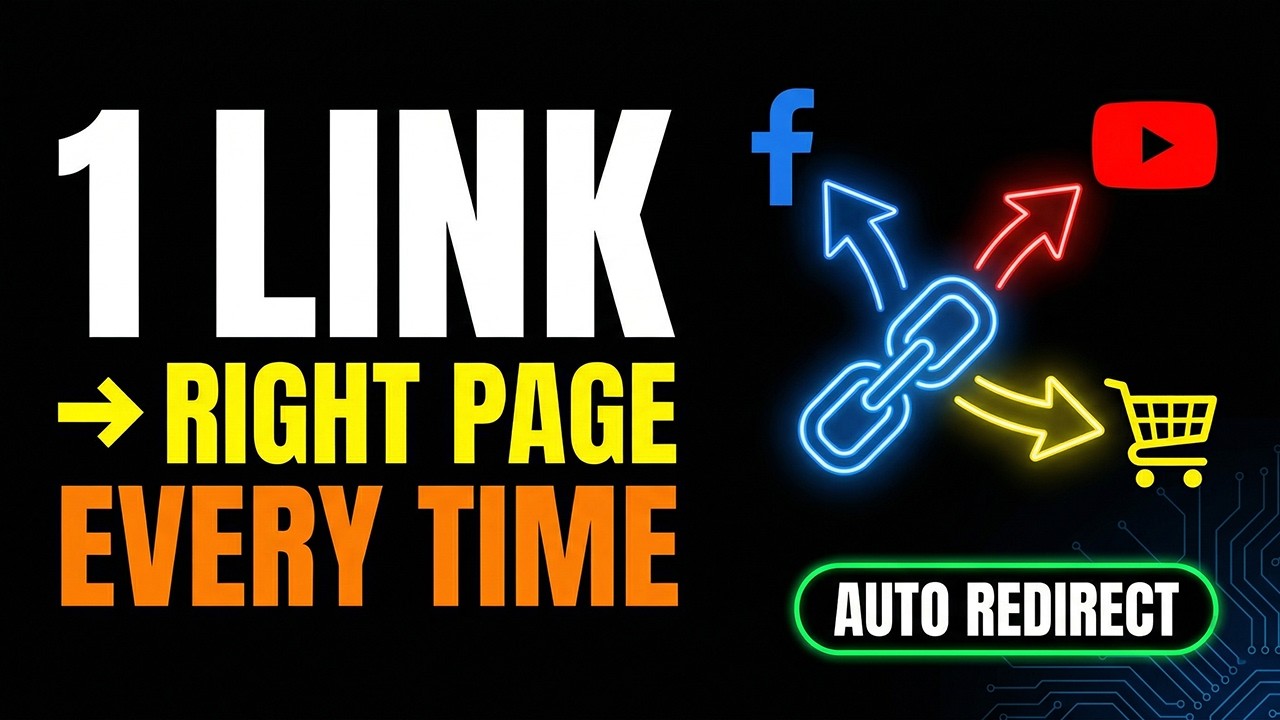
As shown in the video, it only takes 2~3 minutes to add a single condition.
You’ll likely spend more time brainstorming which condition combinations fit your campaign than actually setting them up.
When This Feature Truly Shows Its Power
Targeted short URLs are effective in any situation, but they are exceptionally powerful when these two conditions overlap: ① You are operating multiple channels simultaneously, and ② Visitor intent differs across channels.
Let’s say a creator with tens of thousands of SNS followers launches a new digital product. A link in the YouTube video description will bring in subscribers who watched the entire video. A swipe-up link in an Instagram Story will bring in low-involvement visitors driven by curiosity in just 3 seconds. Showing these two groups the identical product introduction page is distinctly inefficient. It’s far more logical to show the former a direct purchase page, and the latter an introductory page to build trust first.
Conversely, there are cases where this feature might not yield massive results. This happens when you focus solely on a single channel, or when the visitor demographic is highly uniform. Also, be aware of technical limitations where the referrer condition may not operate perfectly in environments that omit Referer headers (some privacy browsers, in-app browsers within messenger apps, etc.). In these cases, you can supplement with conditions that don’t rely on referrers, such as click counts or language.
Practical Tips for Smarter Utilization
Once you understand the feature, you need to use it in ways that actually boost conversion rates.
The methods below aren’t just setup steps; they are core strategies to transform your marketing performance.
Set Condition Priorities Strategically
When configuring multiple conditions simultaneously, the outcome changes entirely depending on which condition is evaluated first.
For instance, if you set both ‘Language’ and ‘Referrer’, you could route users to completely different pages based on which condition is prioritized.
👉 In practice, designing the flow as Referrer → Click Count → Language is often advantageous for conversions.
After setting it up, you must perform click tests to verify the actual flow. It’s very common for things to work differently than you imagined.
Design the Default Destination as a ‘Conversion-Focused Page’
Many people casually set up their default destination, but in reality, this is the page the highest volume of visitors will land on.
This is because all visitors who fail to meet your set conditions are sent here.
👉 It’s highly recommended to design the default page for ‘conversions’ rather than ‘introductions’.
For example:
- Service signup page
- Core feature landing page
- The highest performing campaign page
Build an Automated Funnel with Click Count Targeting
Vivoldi also offers a feature that sends push notifications upon reaching a specific number of clicks. By combining click count targeting with this alert feature, you can structure a strategy where you receive an alert every 100 clicks, while simultaneously displaying a different page to individual visitors who have clicked beyond a certain threshold.
A user clicking the same link multiple times is a clear signal of interest. Leveraging this signal lets you automatically build a conversion funnel without separate retargeting.
For example:
- 1 click → Intro page
- 2~3 clicks → Reviews/Trust page
- 4+ clicks → Discount or Purchase page
👉 You can create an ‘auto-retargeting’ effect without spending on ads.
Regularly Audit Your Routing Configurations
As campaigns progress, landing page URLs may change, or new channels may be added. While targeting setups run indefinitely once configured, you’ll deliver unintended experiences if the destination pages disappear or change content.
In other words, campaigns constantly evolve, but link settings are often left untouched.
If your landing pages change or new channels are introduced and you don’t update your routing rules, your conversion rates could actually decline.
👉 It’s highly advised to audit the routing flows of your primary links at least once a week.
Especially if you’re running ad campaigns, this simple audit can directly translate to cost savings.

The One Question You Must Ask Right Now
Think of one short URL you’re currently using.
Is everyone who clicks that link landing on the exact same page?
People coming from Instagram, from a blog, or clicking an ad have entirely different expectations. If you’re showing them all the same page, you’re already losing conversion opportunities.
Short URLs are no longer just simple links.
They are ‘smart routing tools’ that understand visitors and automatically connect them to their optimal pages.
No complex setup is needed. Try adding just one condition to a link you’re using right now.
- SNS → Quick introduction page
- Blog → Detailed description page
- Ad → Product order page
This small difference transforms conversion rates.
👉 Pick just one of your highest-traffic channels and test it for 7 days.
You’ll see the results immediately in your data.
Don’t leave the short URLs you’re using as they are.
You don’t even need to create new links. Simply add conditions to your existing URLs.
👉 Test Smart Targeting yourself in Vivoldi today.


